


Apple Watch · Odense & Nyborg
Apple Watch repair
Since 2008 · 323 reviews ★Trustpilot 4.9 · Google 4.5–5.0 · Facebook 94% recommendWhich Apple Watch do you have?
Pricesincl. VAT
- 325 DKKFault diagnosis
- 500 DKKWater diagnosis
- Glass or screen, battery replacement, won’t charge, Digital Crown and buttons: Get a quote – you get the price before we start.
Or choose from the list
Don’t know which model you have?
Find the model: open the Watch app on your iPhone → General → About. The model and size (e.g. 45 mm) are shown there too.
Cracked glass, a battery that doesn’t last the day, or a watch that won’t charge? We repair Apple Watch in our own workshop in Odense and Nyborg – and you get the price before we start.
Price agreed before we start · price match on Funen.
Read about price match
Good to know
What customers ask us
How much does it cost?
Apple Watch doesn’t have fixed prices online yet. You get a fixed price before we start. If a repair isn’t worth it, we’ll tell you.
What if it can’t be repaired?
Then you only pay the fault diagnosis of 325 DKK – and only if the watch can’t be repaired, or you decline the quote. Water diagnosis (500 DKK) is paid regardless of result.
Do I need to do anything before I hand in my watch?
Make sure your watch is backed up via your iPhone, and remember the watch passcode. We’ll tell you if the watch needs to be unpaired from your iPhone before the repair.
2-year statutory warranty
You have 2 years’ statutory warranty under the Danish Sale of Goods Act. If you find the same repair cheaper on Funen, we match the price. Read about price match
How it works
How a repair works
Get a price
Write or call and tell us what’s wrong with your watch. You get a fixed price before we start.
Come in – or let us come to you
Choose the way that suits you best. Walk-in, booking, mobile workshop or Ship & Repair.
We repair in our own workshop
The price is agreed before we start. We let you know when the watch is ready.
Get a quote
Tell us the model, size and fault – a technician will get back to you with an answer and a price. There is no obligation. You can also call +45 52 70 70 28 or drop by one of the shops.
Shops
3 shops on Funen
Walk in without an appointment. English is spoken in all 3 shops.
323 reviews in totalTrustpilot 4.9 ★ (148) · Google (121) · Facebook (54)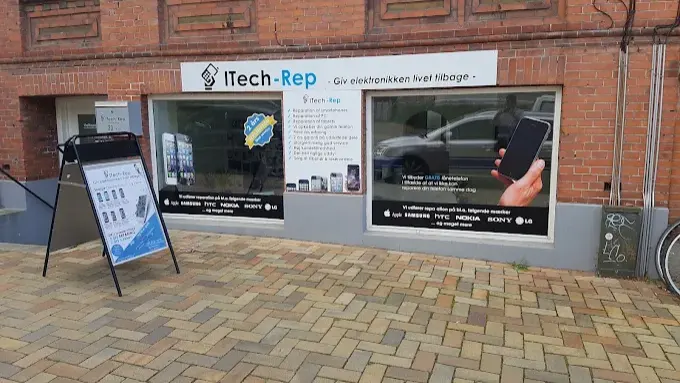
Odense
Hunderupvej 23
5000 Odense C
Entrance two steps down · 1 hour free parking along Hunderupvej (use a parking disc)
4.5 · 66 Google reviews
Open: Mon–Thu 10:00–17:30 · Fri closed · Sat 11:00–16:00
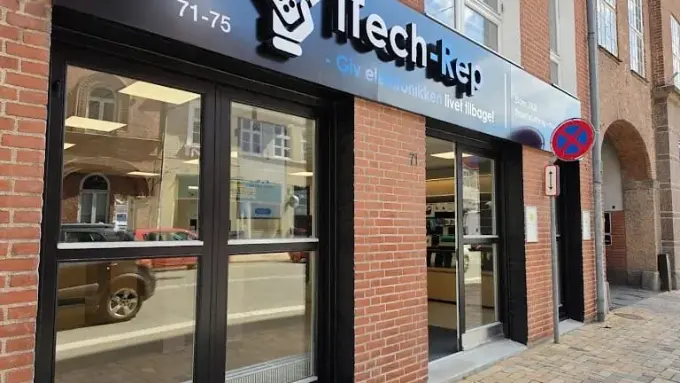
Odense
Nørregade 71
5000 Odense C
Up to 4 hours free parking in the courtyard – register your number plate in the shop
5.0 · 18 Google reviews
Open: Mon–Fri 10:00–17:30 · Sat 11:00–16:00

Nyborg
Nørregade 8
5800 Nyborg C
Free customer parking in the courtyard diagonally opposite the shop
4.8 · 36 Google reviews
Open: Mon–Thu 10:00–17:30 · Fri 10:00–18:00 · Sat 10:00–14:00
Are you a business?
Pay by invoice or to your EAN number – no lock-in period and no minimum, small businesses are welcome too. If you have several devices, the technician can also collect and return them at your premises.
Read about business agreementsAll about the repair
Prices, questions and details
Which Apple Watch do you have?
01 / Choose your watch
Apple Watch prices are not online yet. Tap your watch and the model will be filled in on the form below. Tell us what’s wrong and you’ll get a fixed price before we start. If you can’t find your watch, just type in the model yourself.
Apple Watch Series
Apple Watch Ultra
Apple Watch SE
Find the model: open the Watch app on your iPhone → General → About. The model and size (e.g. 45 mm) are shown there too.
Three steps. No surprises.
03 / How it works
Get a price
Write or call and tell us what’s wrong with your watch. You get a fixed price before we start.
Come in – or let us come to you
Choose the option that suits you best.
We repair in our own workshop
The price is agreed before we start. We will let you know when your watch is ready.
Apple Watch repair in Odense and Nyborg
6 questions and answers
04 / About the repair
We repair Apple Watch Series, Ultra and SE. Typical faults are cracked glass or a broken screen, a battery that drains quickly or has swollen, a watch that won’t charge, and a Digital Crown or button that doesn’t work.
We look at the watch and tell you what can be done and what it costs before we start. If a repair isn’t worth it, we’ll tell you. If you are not sure what is wrong, we find the fault with a diagnostic check. Under Danish law, you have a 2-year statutory warranty.
Drop by one of our shops at Hunderupvej 23 or Nørregade 71 in Odense, or Nørregade 8 in Nyborg, or book a time online. If you also need help with your iPhone, you’ll find the prices under iPhone repair.
Questions about Apple Watch repair
How much does it cost to repair an Apple Watch?
It depends on the model, the size and the damage. Enter your watch and the fault in the form or call +45 52 70 70 28, and you’ll get a fixed price before we start.
My Apple Watch won’t charge – what could be causing it?
It could be dirt on the back of the watch or on the charger, a faulty cable or charger, or a weak battery. Gently wipe the back of the watch and the charger, and try a different charger. If that doesn’t help, we find the fault and give you the price before we start.
When should the battery in my Apple Watch be replaced?
Typical signs are that the watch doesn’t last a full day, switches off by itself, or the screen starts to lift. If the screen is lifting, the battery may be swollen – stop using the watch and get it checked.
Should I do anything before I hand in my watch?
Make sure your watch is backed up via your iPhone, and remember the watch passcode. We will tell you if the watch needs to be unpaired from your iPhone before the repair.
How do I find out which Apple Watch I have?
Open the Watch app on your iPhone and go to General → About. The model and size are shown there. The size is also printed in small text on the back of the watch.
My Apple Watch won’t turn on. What can I do?
Start with charging:
- Gently clean the back of the watch and the charger with a dry cloth.
- Try another cable or charger.
- Let the watch charge for at least 30 minutes.
Then try a force restart: hold the side button and the Digital Crown together for at least 10 seconds, until the Apple logo appears. Don’t do this while the watch is updating.
If it still won’t start, the cause is usually the battery, the screen or an internal fault. If the screen is lifting, the battery may be swollen, so stop using the watch.
Send us the model, size and fault through our form, or visit a shop. You’ll get a fixed price before we start.
Call +45 52 70 70 28.


