Blog & guides
10 tips to maintain your PC and avoid PC repairs

The best way to look after your PC is to keep Windows and your programs up to date, use antivirus, clean out dust, back up your files and avoid heat and physical damage. It only takes a little time, but it makes your computer last longer and lowers the risk of an expensive PC repair. Here are 10 simple tips.
What does it cost?
You always get a fixed price before we start. See the price for your exact model in the price finder.
Fixed price before we startNo payment online
10 tips to maintain your PC
1. Use antivirus
A reliable antivirus program protects you against viruses and malware. Windows has Microsoft Defender built in – make sure it’s switched on and up to date.
2. Update Windows and your programs
Updates fix bugs and close security holes. Turn on automatic updates.
3. Keep drivers up to date
Up-to-date drivers for things like the graphics card and Wi-Fi mean fewer errors and better performance.
4. Clean out dust
Dust in the vents makes the computer run hot. Clean them regularly with compressed air.
5. Remove programs you don’t need
Uninstall programs you don’t use and delete large files. It frees up space and makes the PC faster.
6. Avoid overloading it
If you have lots of heavy programs open at once, the computer gets slow and hot. Close what you’re not using.
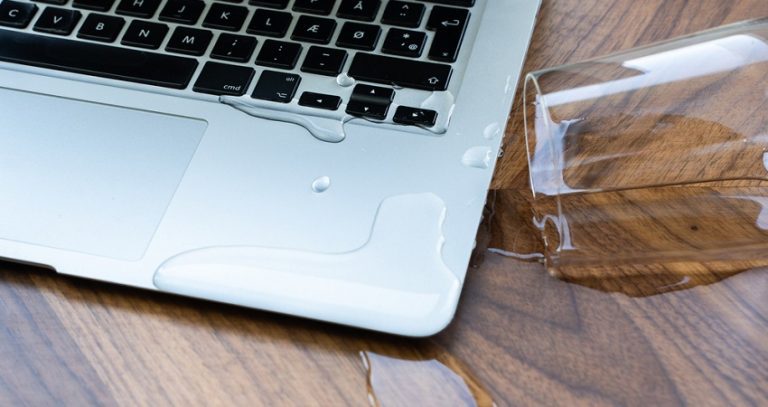
7. Watch out for physical damage
Avoid drops and spills. Liquid in the keyboard is one of the types of damage that quickly gets expensive.
8. Back up
Save important files in the cloud or on an external hard drive, so you don’t lose them if the computer breaks.
9. Avoid overheating
Don’t use your laptop on duvets or cushions that block the airflow. Use it on a hard table.
10. Get help in time
If the computer starts getting noisy or hot, crashing or slowing down, have it checked before the problem gets bigger.
PC repair in Odense and Nyborg
Already damaged? At ITech-Rep we repair laptops and desktop computers in our shops in Odense and Nyborg. You get the price before we start. Book a PC repair, or read about common laptop damage.
Frequently asked questions
How often should I clean the dust out of my computer?
It depends on where it stands. If the fan is louder than usual, or the computer gets hot, it’s time for a clean.
Do I need an extra antivirus program?
For most home users, Microsoft Defender in Windows is enough, as long as it’s switched on and up to date.
Why has my computer become slow?
It could be lots of programs at startup, a full hard drive, malware or an old hard drive. An SSD can often make a big difference.
How much does a PC repair cost?
It depends on the fault. See our prices, or call +45 52 70 70 28.
Read more about PC repair, or book online.
Related repairs
Need help?
We repair in our own workshop in Odense and Nyborg
See the price of your repair, or call – you’ll talk to a technician.