Blog & guides
Cracked iPhone screen – what should you do now?
You’ve dropped your phone, and now the screen is cracked. It’s annoying, but it can usually be repaired without any trouble – and you don’t need to buy a new iPhone. Here’s what to do right now, what to avoid, and how to work out whether it’s just the glass or the whole screen that’s broken.
What does it cost?
You always get a fixed price before we start. See the price for your exact model in the price finder.
Fixed price before we startNo payment online
Do this right now
1. Avoid cutting yourself
Cracked glass can have sharp edges and tiny splinters. Don’t run your finger over the cracks. Put a screen protector or a piece of clear tape over the worst of it, so the splinters stay in place until the phone is repaired.
2. Make a backup
If the screen still works, make a backup straight away – in iCloud or on your computer. A cracked screen can get worse from one day to the next, and touch can suddenly stop working. Then it’s good to know your photos and messages are already saved.
3. Keep the phone dry
Once the glass is cracked, the phone is no longer as well protected against water and dust. Keep it away from rain, the bathroom and the pocket with the wet glove until the screen has been replaced. If it has got wet anyway, read about water damage repair.
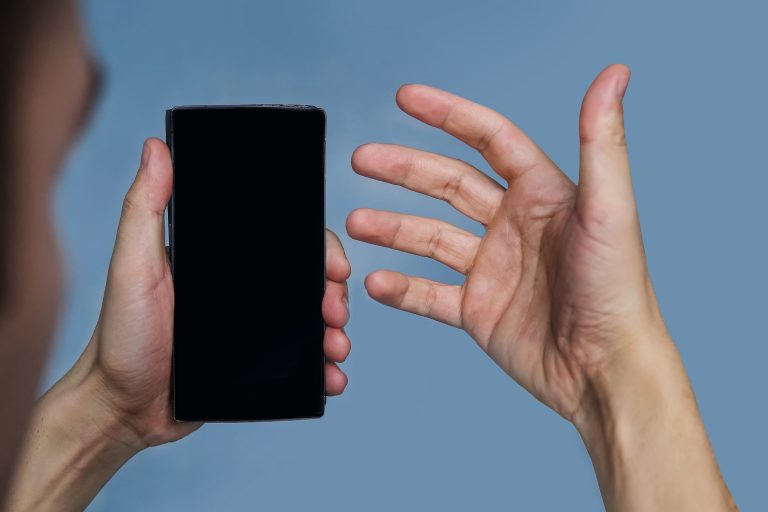
4. Try a restart if the screen is black
If the screen is black after the drop, try forcing the phone to restart. On iPhone 8 and newer: briefly press volume up, briefly press volume down, then hold the side button until the Apple logo appears. If the picture doesn’t come back, the phone may well be on even though you can’t see anything – then it’s usually the screen itself that needs replacing.
Is it just the glass – or the whole screen?
This is the most important question, because it decides how serious the damage is. Look for these signs:
- Only cracks in the glass: The picture looks normal, the colours are right, and touch responds everywhere. The damage is smaller, but the glass no longer protects the screen underneath.
- The screen is damaged: There are black spots, coloured lines or an “ink blot” that spreads. The screen flickers, is completely black, or doesn’t respond – or responds by itself – when you touch it.
If it’s the screen that’s damaged, the whole screen has to be replaced. This applies especially to newer iPhones with an OLED screen, where the glass and the screen sit tightly together. If you’re not sure, drop in – we’ll look at the damage and tell you the price before we start.
What to avoid
- Waiting too long. Small cracks often get bigger, and dust and moisture can get in and damage more than the glass.
- Pressing hard on the cracked area. It can ruin the screen underneath, even if the picture works now.
- Using the phone if the screen is lifting away from the frame. If the screen bulges outwards without having taken a knock, it may be caused by a swollen battery. Stop charging it and get it checked as soon as possible. Read more about battery replacement.
Which screen should you choose?
When the screen needs replacing, you can choose between several qualities on many models:
- OEM quality: High quality, close to original. This is the one we recommend. It isn’t necessarily an original manufacturer part.
- InCell: A budget-friendly option. It isn’t original, and on iPhones with an OLED screen the colours and brightness can differ from the original.
- Original manufacturer screen: Made to order. Contact us for the price and delivery time.
You can read more about the differences under iPhone screen repair, and about what affects the price in How much does an iPhone screen replacement cost?
Is it worth repairing?
If the rest of the phone works fine, a screen replacement is often far cheaper than a new iPhone. If the phone is old and has several faults, it may be a better idea to sell it and buy another one. You get the price before we start, so you can decide what makes sense for you.
You’ll find the fixed price for your exact model in our price finder – choose your iPhone and “screen replacement”. If your model isn’t listed, we’ll give you a quote.
How to get your screen replaced at ITech-Rep
- Drop in at one of our three shops: Hunderupvej 23 or Nørregade 71 in Odense, or Nørregade 8 in Nyborg. See addresses and opening hours under shops.
- Book a time online, so we’re ready when you arrive: book here.
- Send it by post with Ship & Repair if you can’t drop in.
- A business? Then our mobile workshop can come out to you.
All our repairs come with a 2-year right to claim for defects under the Danish Sale of Goods Act.
Questions about a cracked iPhone screen
Will I lose my data when the screen is replaced?
No, not normally. A screen replacement doesn’t require the phone to be reset. Still, always make a backup in iCloud or on your computer before you hand it in.
Can I just keep using the phone with a small crack?
For a while, yes – but cracks often get bigger, and the phone is less well protected against water and dust. If you wait too long, damage to the glass can end up as damage to the whole screen.
What if the screen is black, but the phone rings?
Then the phone is on, and it’s probably the screen that’s broken. If you’re not sure, we’ll run a diagnostic check and tell you the price before we start.
Can I wait while the screen is being replaced?
You often can, but it depends on the repair and whether the part is in stock. Call +45 52 70 70 28 or book a time, and we’ll tell you how long it takes.
Cracked your iPhone screen? Book a time, call +45 52 70 70 28, or find your nearest shop in Odense or Nyborg.
Related repairs
Need help?
We repair in our own workshop in Odense and Nyborg
See the price of your repair, or call – you’ll talk to a technician.