Blog & guides
The most common ways an iPhone gets water damage
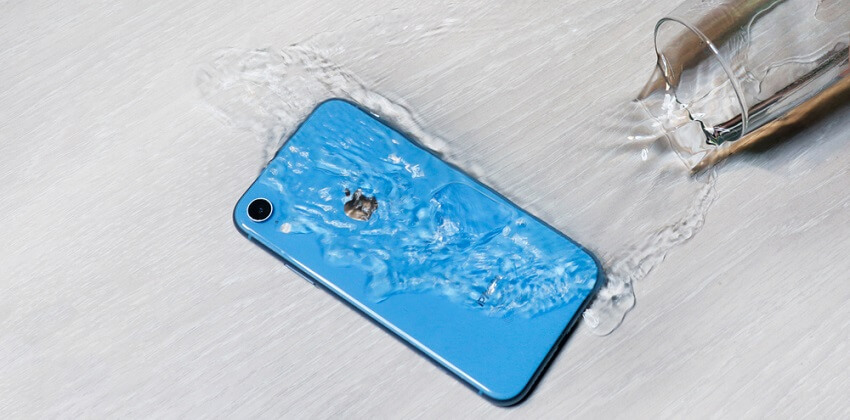
The most common ways an iPhone gets water damage are being dropped in the toilet or sink, spilled drinks, rain, steam in the bathroom, and swimming while trusting the water resistance too much. Newer iPhones are water-resistant, but not waterproof, and the protection weakens over time. If it happens: switch the device off, don’t charge it, and get it examined.
What does it cost?
You always get a fixed price before we start. See the price for your exact model in the price finder.
Fixed price before we startNo payment online
Has your device got wet? See what to do right now on our page about water damage.
Below you’ll find the typical situations, why “waterproof” doesn’t mean safe, and what to do if your iPhone has got wet.
How an iPhone typically gets water damage
Toilet, sink and bath
The phone slips out of your back pocket or your hand and lands in water. It’s one of the most common causes.
Spills
Coffee, beer, fizzy drinks and juice on the table. The sugar and acid in drinks cause corrosion faster than clean water.
Rain and snow
Using your phone in the rain, or a wet jacket pocket, can let moisture into the speakers and charging port.
Steam and humidity
The phone in the bathroom during a hot shower or in the sauna. Steam can get further in than drops of water.
Pool, beach and sea
Lots of people take photos in the water because the phone is “waterproof”. But salt water, chlorine and waves can cause damage – and the water resistance isn’t designed for that.
Isn’t your iPhone waterproof?
Newer iPhones are water-resistant and tested under controlled conditions. But the seals wear over time, and a drop, a crack or a previous repair can weaken the protection. Apple doesn’t normally cover liquid damage under the warranty. So you should never deliberately expose your phone to water.
What to do if your iPhone has water damage
- Switch the device off straight away, and leave it off.
- Take off the case, and remove the SIM tray.
- Wipe the outside of the phone with a dry, lint-free cloth.
- Don’t charge it, and don’t put anything into the charging port.
- Get it examined by a technician as soon as possible.
What not to do
- Don’t use rice. The old rice myth doesn’t work. Rice doesn’t draw the liquid out, and dust and starch can get into the phone.
- Don’t use a hairdryer, oven or radiator – heat can damage the battery and screen.
- Don’t keep switching it on to see if it works.
We can’t promise that an iPhone with water damage can be saved. The sooner it’s switched off and examined, the better the chances. If you have an iPad with water damage, read how does an iPad get water damage?
Frequently asked questions
Can a wet iPhone be saved?
Sometimes. It depends on the liquid, how much there was and how quickly the phone was switched off. We can’t promise a result, but we’ll examine it and tell you what can be done and what it will cost.
Does rice help a wet iPhone?
No. Rice doesn’t draw liquid out of electronics. Switch the device off and get it examined instead.
My iPhone works after the water damage. Does that mean everything’s fine?
Not necessarily. Corrosion can develop over time, so faults can appear days or weeks later. It’s a good idea to get it checked.
Can I get my photos back from an iPhone with water damage?
We can’t promise that. Tell us your data is important to you, and we’ll take that into account when we examine the phone. Also read about data transfer. Remember to keep a backup in iCloud from now on.
If your iPhone has got liquid in it, switch it off and come by ITech-Rep in Odense or Nyborg. Find the addresses under shops, read about iPhone repair, or book online.
Related repairs
Need help?
We repair in our own workshop in Odense and Nyborg
See the price of your repair, or call – you’ll talk to a technician.