Blog & guides
Make your iPhone battery last longer
You make your iPhone battery last longer by avoiding heat, turning on “Optimised Charging”, keeping iOS updated and not letting the battery run completely flat again and again. A battery always wears a little over time, but good habits can make it last longer before it needs replacing.
What does it cost?
You always get a fixed price before we start. See the price for your exact model in the price finder.
Fixed price before we startNo payment online
Below you can see why the battery gets worse, what you can actually do, and when a battery replacement makes sense.
Why does the iPhone battery get worse over time?
iPhones use lithium-ion batteries. Every time the battery is charged and discharged, it wears a little chemically. That’s completely normal. Over time, the battery can therefore hold less charge, and the phone can get slower or turn off suddenly when the battery is very worn. Heat is especially hard on the battery.
How to make your iPhone battery last longer
Avoid heat
Don’t leave the phone in the sun, in a hot car or under your pillow while it charges. If it gets very hot while charging, take off a thick case.
Turn on “Optimised Charging”
Go to Settings > Battery and turn on Optimised Charging. The iPhone then waits to charge the last few per cent until you need it. On newer models, you can also choose a limit for how high the battery is charged.
Avoid letting the battery run completely flat
It’s best to charge before the battery gets all the way down to 0%. You don’t need to wait until it’s empty – small top-ups during the day are fine.
Keep iOS updated
Apple regularly releases updates that can improve power consumption. Update via Settings > General > Software Update.
Use a good charger
Use Apple’s own charger or a certified charger and a certified cable. Cheap, unknown chargers can deliver uneven power and extra heat.
Turn down what uses power
Lower screen brightness, fewer apps with Background App Refresh, and “Low Power Mode” on heavy-use days all go easy on the battery.
Signs that the battery should be replaced
- The iPhone runs out of power quickly, even with normal use
- It turns off suddenly, even though there’s charge left
- It has become slow, or apps stutter
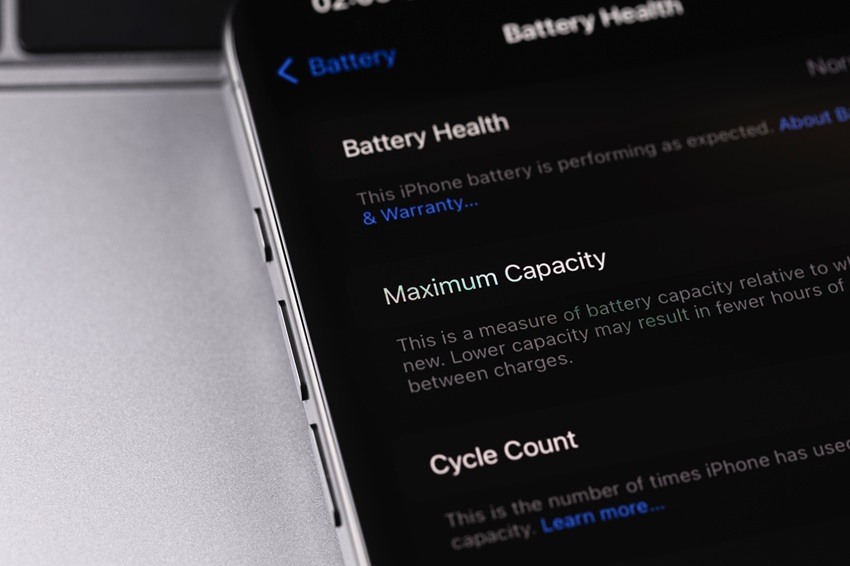
- Under Settings > Battery > Battery Health, it says the battery should be serviced
- The phone gets unusually hot, or the back/screen bulges – stop using and charging it, and get it checked
If your iPhone already runs out of power quickly, you can read about the causes in why does your iPhone run out of battery so fast?
Frequently asked questions
Should I charge my iPhone to 100%?
It isn’t dangerous, but the battery is happiest when it isn’t left fully charged for a long time. Turn on Optimised Charging, and the iPhone manages it by itself.
Is it harmful to charge my iPhone overnight?
Not with a good charger and Optimised Charging turned on. Make sure the phone isn’t lying under a duvet or pillow, where the heat can’t escape.
Where can I see how my iPhone battery is doing?
Under Settings > Battery > Battery Health. Here you can see the maximum capacity, and whether Apple recommends service.
How much does an iPhone battery replacement cost?
It depends on the model. See the price for your model on our prices page. You get the price before we start.
If your battery is worn out, ITech-Rep can replace it in our shops in Odense and Nyborg. Read more about battery replacement and iPhone repair, or book a time online.
Related repairs
Need help?
We repair in our own workshop in Odense and Nyborg
See the price of your repair, or call – you’ll talk to a technician.