Blog & guides
PS5 no picture? How to tell if the HDMI port is broken
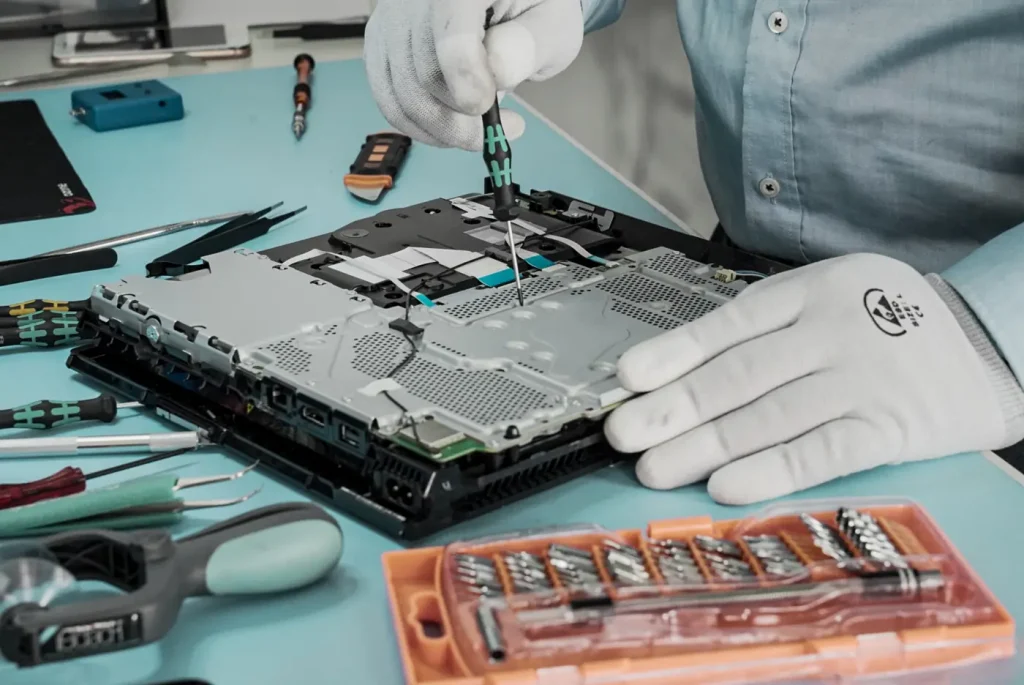
Does your PS5 turn on, but the screen stays black? It isn’t always the console that’s at fault. Here are the checks you can do yourself – without unscrewing anything.
Price – short answer
- PS5 HDMI port replacement1,500 DKK
From our price list. All prices are in DKK incl. VAT.
Fixed price before we startNo payment online
What you can try first – tick them off as you go
1. Check the TV first
- Is the TV set to the right HDMI input (source)?
- Try a different HDMI input on the TV.
- If you can, try a different TV or a monitor.
2. Try a different HDMI cable
A faulty cable can also cause a black screen. Try the cable that came with the console, or another cable you know works. Push it all the way in at both ends.
3. Start in Safe Mode
Safe Mode is a built-in feature from Sony:
- Turn the console off completely.
- Hold the power button down, and let go when you hear the second beep.
- Connect the controller with a USB cable, and press the PS button.
If you get a picture now, the port may be fine, and the fault may be down to a setting. Here you can choose to change the video output/resolution.
4. Look at the port – but don’t touch it
Shine a torch into the HDMI port. If it looks crooked, loose or damaged, that’s a sign the port needs replacing. Don’t push anything into the port, and don’t take the console apart – it can make the damage worse.
Still a black screen? Then it may be the HDMI port
If you’ve tried another cable, another input and Safe Mode and still have no picture, the HDMI port may be broken. The HDMI port is one of the typical faults we repair on PlayStation – along with overheating, the power supply and the disc drive.
You always get the price before we start. You only pay for the diagnostic check if the device can’t be repaired, or if you say no to the quote. If you say yes to the repair, the diagnostic check costs nothing. There’s a 2-year right to claim for defects under the Danish Sale of Goods Act.
| Repair | Note | Price |
|---|---|---|
| PS5 HDMI port replacement | 1,500 DKK |
See all prices for PlayStation (5 more)
| Repair | Note | Price |
|---|---|---|
| PS4 HDMI port replacement | 800 DKK | |
| PS5 controller joystick replacement | Price per joystick | 199 DKK |
| Diagnostics | Only if the device can’t be repaired, or you decline the quote | 325 DKK |
| Water damage diagnosis | Paid whatever the result – the device is taken apart and cleaned of liquid | 500 DKK |
| Deep cleaning | 625 DKK |
All prices are in DKK incl. VAT. Can’t find your model, fault or price? Get a quote
Read more about PlayStation repair, or see everything about console repair – including Xbox and Nintendo Switch.
Questions and answers
Why does my PS5 have sound but no picture?
It may be down to the cable, the TV input, a video setting or the HDMI port. Try the checks in this guide – in that order.
Can I replace the HDMI port myself?
It requires soldering on the motherboard. We don’t recommend taking the console apart yourself, as it can cause more damage.
How much does it cost to replace the HDMI port on a PS5?
It’s a fixed price. You’ll find it on PlayStation repair.
Can I send my PS5 to you?
Yes, with Ship & Repair. Free shipping both ways and no prepayment (although made-to-order parts are paid in advance).
Related repairs
Need help?
We repair in our own workshop in Odense and Nyborg
See the price of your repair, or call – you’ll talk to a technician.