Blog & guides
Why won’t my iPad charge?

Short answer: If your iPad won’t charge at all, it’s usually a faulty cable or charger, lint in the charging port, or a completely flat battery that needs time before anything shows on the screen. Try another cable and charger, charge it for at least 30 minutes, and do a force restart. If none of that helps, the fault is most likely in the charging port, the battery or the logic board.
What does it cost?
You always get a fixed price before we start. See the price for your exact model in the price finder.
Fixed price before we startNo payment online
Is your iPad charging, just slowly? That’s more often the charger or using the iPad while it charges – see the FAQ below, or read about iPad repair.
Why won’t my iPad charge?
The cable or charger is faulty
This is the most common cause. Cables often break inside, especially close to the plug. Try a different cable, a different charger and a different wall socket.
The wrong cable or a charger that’s too weak
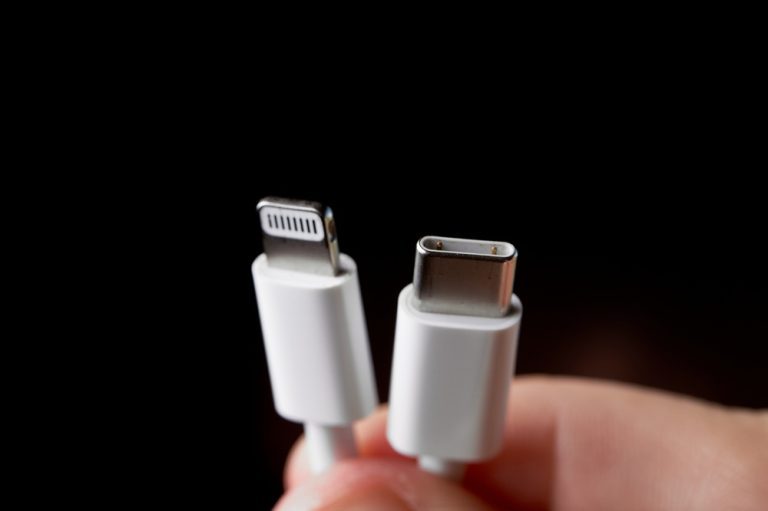
Newer iPads charge with USB-C, older ones with Lightning. Use a cable and charger that match your iPad. A small charger or a USB port on a computer may be too weak – especially if you’re using the iPad while it charges. Then it can look as if it isn’t charging at all.
The iPad is too hot or too cold
If the iPad has got very hot, or has been lying in the cold, it may pause charging. Let it get back to room temperature, then try again.
Lint and dirt in the charging port
Lint from bags and pockets can build up at the bottom of the port and stop the cable from making contact. Check the port with a torch. Never clean it with anything made of metal.
The battery is completely flat
If the iPad hasn’t been used for a long time, it can take a while before the charging symbol appears. Leave it plugged in before you give up.
A software fault
Sometimes the iPad is actually charging, but the screen doesn’t show it. A force restart can help.
A faulty charging port, battery or logic board
A loose, worn or liquid-damaged charging port, or a heavily worn battery, can stop the iPad from charging. This needs a repair.
How to try fixing it yourself
- Try a cable and charger you know work.
- Plug the charger straight into a wall socket.
- Check the charging port for lint.
- Charge the iPad for at least 30 minutes.
- Do a force restart. Without a Home button: press and release volume up, press and release volume down, then hold the top button until the Apple logo appears. With a Home button: hold the Home button and the top button together until the Apple logo appears.
When does your iPad need repairing?
Bring the iPad to a technician if it still won’t charge after the steps above, or if it only charges when the cable is held at a certain angle. If the battery is swollen or the screen is bulging, stop charging straight away and get it checked. A device with a swollen battery must never be sent by post – bring it to one of our shops. If the battery needs replacing, see battery replacement. You can walk in without an appointment at our shops in Odense and Nyborg.
Questions about an iPad that won’t charge
What’s the difference between an iPad that won’t charge and one that charges slowly?
If it doesn’t charge at all, it’s usually the cable, the charging port or the battery. If it charges, but slowly, it’s more often the charger or using the iPad while it charges. See iPad repair.
Why doesn’t my iPad show that it’s charging?
The battery may be completely flat, so the symbol takes a while to appear. It could also be the cable, the charger or lint in the charging port. Try another cable and charge it for at least 30 minutes.
Can I clean the charging port on my iPad myself?
You can carefully look for lint and gently blow into the port. Never use needles, paper clips or other metal objects – they can damage the contacts.
My iPad only charges when the cable is held at an angle. What’s wrong?
That points to a worn or loose charging port, or a faulty cable. Try a new cable. If that doesn’t help, the charging port most likely needs repairing.
How much does it cost to repair the charging port on an iPad?
The price depends on the model. See the prices page. You always get the price before we start.
At ITech-Rep we check and repair iPads that won’t charge in our shops in Odense and Nyborg. Read about charging port repair and iPad repair, book a time online, or call +45 52 70 70 28.
Related repairs
Need help?
We repair in our own workshop in Odense and Nyborg
See the price of your repair, or call – you’ll talk to a technician.