Blog & guides
How to protect and look after your smartphone

The best way to protect your smartphone is with a good screen protector, a sturdy case, and by keeping it away from water, heat and sharp things in your pocket. Look after it with regular updates, an original charger and a bit of tidying up, and both the battery and the phone will last longer. Here’s our advice, all in one place.
What does it cost?
You always get a fixed price before we start. See the price for your exact model in the price finder.
Fixed price before we startNo payment online
How to protect your smartphone from damage
1. Use a tempered glass screen protector
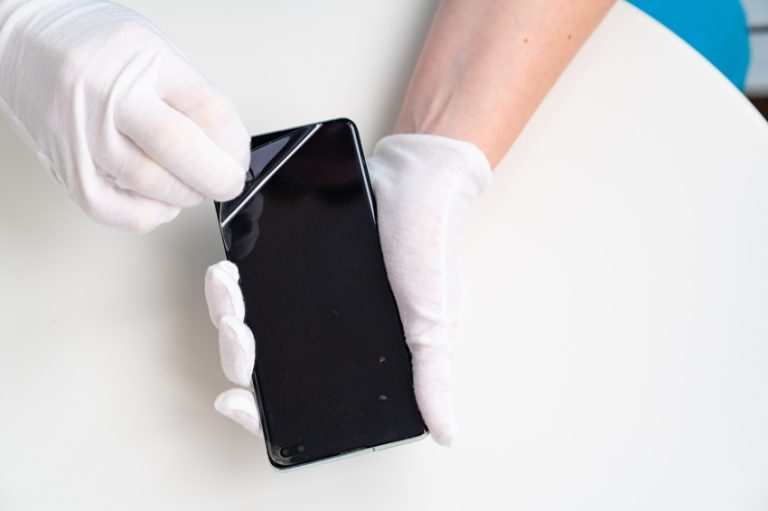
A cracked screen is one of the most common types of damage. A good tempered glass protector absorbs some of the impact when you drop the phone and lowers the risk of an expensive screen replacement on your iPhone or Samsung. See how to fit a screen protector correctly.
2. Choose a sturdy case
A case with a raised edge protects the front, the back and the camera if the phone lands the wrong way.
3. Keep it away from water
Even water-resistant phones can be damaged – the seals wear over time. Take care at the beach, by the pool and in the bathroom. See the most common ways an iPhone gets water damage.
4. Avoid extreme heat and cold
Don’t leave your phone in the sun or in a hot car. Heat wears out the battery and can damage the screen.
5. Think about where you keep it
Keys and coins scratch the screen. Give it a pocket of its own.
How to look after your smartphone
6. Update the software
Updates fix bugs and close security holes. Turn on automatic updates.
7. Use an original or certified charger
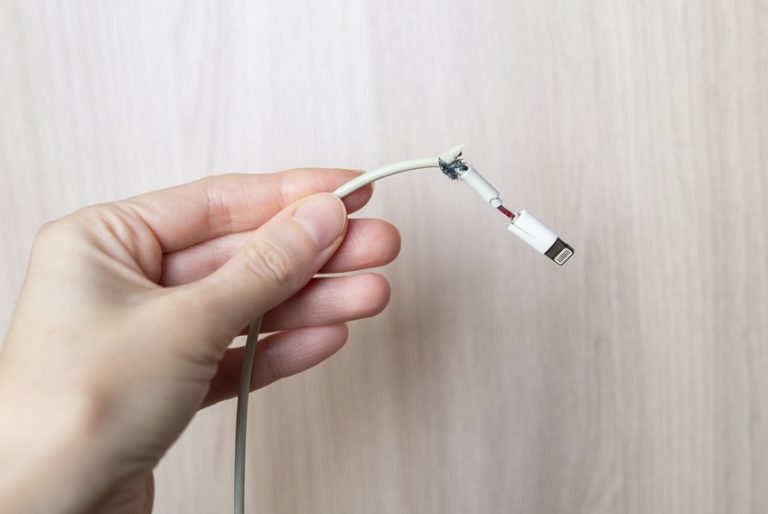
Cheap chargers and cables can deliver uneven power and wear out the battery. See also how to stop your cables from breaking.
8. Take care of the battery
Avoid using heavy apps and games while the phone is charging, and don’t let it get very hot while it charges.
9. Keep it clean
Wipe the phone with a soft, dry cloth. Avoid strong cleaning products, and gently clean lint out of the charging port.
10. Tidy up and back up
Delete apps and files you don’t use, so the phone runs better. Back up regularly, so you don’t lose photos and contacts if something goes wrong.
When damage happens anyway
Even with the best protection, accidents happen. At ITech-Rep we repair all brands – including iPhone repair and Samsung screen replacement. See all our phone repairs, or contact us. We have shops in Odense and Nyborg, and you get the price before we start.
Frequently asked questions
What’s the best protection against a cracked screen?
A tempered glass screen protector combined with a case with a raised edge. The glass takes the impact, and the edge keeps the screen off the surface.
Is my phone waterproof?
Many new phones are water-resistant, but not waterproof forever. The seals wear, and the manufacturer’s warranty usually doesn’t cover water damage.
How do I make the battery last longer?
Avoid heat, use a good charger and keep the software up to date. See also how to extend your iPhone battery’s lifespan.
How much does a screen replacement cost?
It depends on the model and the screen quality. See our prices, or call +45 52 70 70 28.
Had an accident? Book online in Odense or Nyborg, or call +45 52 70 70 28.
Related repairs
Need help?
We repair in our own workshop in Odense and Nyborg
See the price of your repair, or call – you’ll talk to a technician.